Wednesday, 2 September 2020

What you should expect with Samsung Galaxy Note 20 Ultra

What you should expect with Samsung Galaxy Note 20 Ultra

The Galaxy Note 20 Ultra takes flagships to a whole new level. Everything on the phone is dialed up to 11; there's a stunning 6.9-inch AMOLED panel with a 120Hz refresh rate, 12GB of memory as standard, Snapdragon 865+ chipset under the hood, and the S Pen has three times lower latency. Combine that with a powerful 108MP camera at the back and you get a phone that stands out from the pack. It's estimated at $1300 


Samsung made the switch to 120Hz displays this year with the Galaxy S20 series, and the Galaxy Note 20 Ultra retains this key feature. There hasn't been a single feature over the last two years that has affected day-to-day experience as much as 90Hz and 120Hz displays, and this is one feature that you have to use to truly appreciate.

The 120Hz display on the Note 20 Ultra is sublime, and Samsung made several changes to the AMOLED display tech to make it the best overall panel you'll find on any phone today. Samsung has led the industry in this area for several years now, and it continues to eke out more gains with each generation. The Note 20 Ultra is just 2.9mm taller than the Note 9, but you get a huge 6.9-inch display, and that's down to the thinner bezels at the top and bottom.

The slim bezels, along with a hole-punch cutout and a 120Hz screen, combine to give the Note 20 Ultra a distinct edge over the Note 9. There's just so much more on offer here, and you will love the changes that Samsung introduced with its latest flagship. Then there's the design. The Note 20 Ultra is available in Mystic Bronze, Mystic Black, and Mystic White variants, and the bronze model, in particular, stands out.

With the Note 20 Ultra, Samsung has switched to a new camera layout that sees the sensors highlighted more prominently. The camera housing protrudes a fair bit from the body of the phone itself, but the overall aesthetic is rather pleasing.

Let's talk about the cameras. The Galaxy Note 20 Ultra has a 108MP primary camera along with a 12MP wide-angle lens and 12MP zoom lens that delivers 5x optical zoom. The Galaxy Note 9, meanwhile, has dual 12MP cameras. Having used the cameras on the Note 9 extensively over the last two years, I can confidently say that the 108MP lens on the Note 20 Ultra is a huge upgrade. You also get 8K video recording on the Note 20 Ultra and 720p slow-motion video at 960FPS.

The Note 20 Ultra packs a huge camera and internal hardware upgrades.

Then there's the internal hardware. While the Snapdragon 845 chipset on the Galaxy Note 9 is still going strong in 2020, the Snapdragon 865+ on the Note 20 Ultra is in another league. The powerful chipset coupled with the 120Hz screen leads to silky-smooth interactions in day-to-day use, and the Note 20 Ultra blazes through the most demanding of games with ease.

The Note 20 Ultra also comes with 12GB of RAM as standard, double that of the Note 9. The battery is larger at 4,500mAh, and you get 25W wired charging along with 15W wireless charging. The Note 20 Ultra even charges other devices at 5W wirelessly. There's Wi-Fi 6 connectivity as well, IP68 dust and water resistance, NFC, and stereo sound. Oh, and did I mention that the Note 20 Ultra has 5G connectivity? If you're looking for a device that will work over both Sub-6 and mmWave 5G networks around the world, this is the phone to get.

The S Pen is also picking up big upgrades and now has just 9ms latency. That makes it easier than ever to take down notes or just doodle on the Note 20 Ultra, and Samsung is also rolling out new software features to leverage the low latency.


Tuesday, 1 September 2020

BREAKING NEWS: Update iOS 13.7 is now available for download.

BREAKING NEWS:
Update:
iOS 13.7 is now available for download.
@Apple launching #iOS 13.7 today with new "‘Exposure Notification Express" API.

Apple has released iOS 13.7 for iPhone and iPod touch along with iPadOS 13.7 for iPad.
iOS 13.7 includes support for COVID “Exposure Notifications Express”, a feature that allows health authorities to participate in the COVID-19 Exposure Notification system without having to rely on a separate app. Currently, most regions, states, and localities do not support the COVID notification system, though many areas are apparently working on participating in the exposure notification program created by Apple and Google.
Aside from the coronavirus notification system changes, iOS 13.7 and iPadOS 13.7 also include small bug fixes as well.


How to Download iOS 13.7 & iPadOS 13.7 Updates
Before proceeding with any system software update, be certain to backup the iPhone or iPad to iCloud, iTunes, or to a Mac with Finder.

Open the “Settings” app on the iPhone or iPad
Go to “General”
Go to “Software Update”
Choose “Download & Install” for iOS 13.7 or iPadOS 13.7 update
iOS 13.7 update download

The update is relatively small but will require a reboot to finish installing.

Users can choose to update to iOS 13.7 and iPadOS 13.7 by using a computer as well, either with iTunes, or a Mac running Catalina or later with Finder.

More advanced users can also use IPSW firmware files to update their devices system software manually by using the links below and applying the firmware updates directly via Finder or iTunes.


Thursday, 20 August 2020

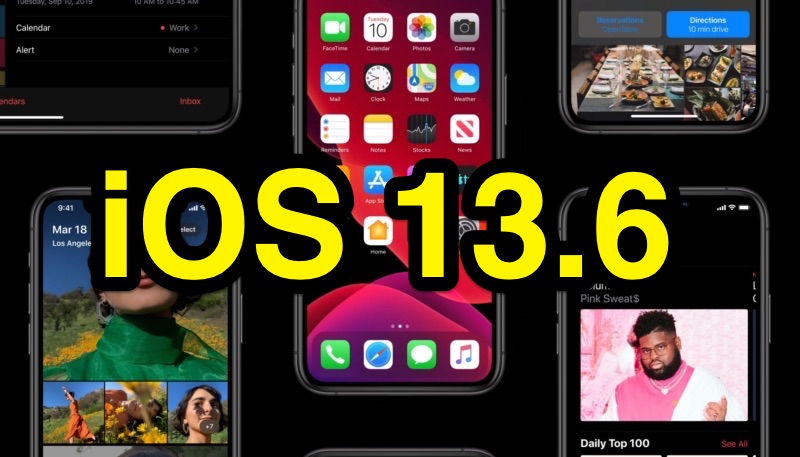
Apple No Longer Signing iOS 13.6 Following Release of iOS 13.6.1

 
Apple released iOS 13.6.1 on August 12, and as is traditional, Apple has now stopped signing iOS 13.6, making downgrading to that version of iOS no longer possible.

The iOS 13.6 update was a major update that offered new features for the Health and Apple News apps, as well as support for the new CarKey feature.

iOS 13.6.1 is a bug fix update addressing issues with data storage, thermal management, and exposure notifications. It is the only current publicly available version of iOS that can be installed on iPhones and iPads.

Apple is known to stop signing older versions of operating systems after it releases a public update, as part of an effort to encourage users to keep their devices’ operating systems up to date.


Friday, 14 August 2020

Apple Confirms iPhone 12 Will Be ‘Available a Few Weeks Later’

Apple Confirms iPhone 12 Will Be ‘Available a Few Weeks Later’

Apple CFO Luca Maestri today confirmed that Apple is expecting to release its iPhone 12 lineup later than usual. His remarks came during today’s third fiscal quarter of 2020 earnings call.

Maestri said that Apple last year started selling iPhones in late September, but this year, Apple projects its new handsets will be “available a few weeks later.”

Maestri’s remarks confirm multiple rumors that Apple’s 2020 iPhone lineup would be delayed beyond their typical September readiness date. Most rumors have expressed October as the month the new iPhones would hit shelves.

While the availability of the 2020 iPhone 12 lineup may be delayed until October, we still might see an unveiling of the new models in September. Apple unveiled its iPhone XS, XS Max, and XR devices in September 2018, although the iPhone XR didn’t hit shelves until October.

Qualcomm on Wednesday shared its third-quarter earnings report and indicated that Apple’s 5G-capable 2020 iPhone 12 lineup may see a “slight delay.”


Tuesday, 28 July 2020

iOS 14 Detects Instagram Using Camera without User’s Permission

iOS 14 Detects Instagram Using Camera without User’s Permission

The long-awaited official iOS 14 update is still a few weeks away from its official release. However, Apple released a public beta version that anyone can download and use before beforehand.

And among all the new features that were showcased during this year’s WWDC, Apple also stated that it’s continuing its stance on keeping user information private and safe from any other person or company. This includes some new security features, including a new recording indicator.

If you have iOS 14, your iPhone will display a green dot next to your battery if any app is using your camera (orange for microphone), and if you go to the Control Center, you’ll see which app is triggering the indicator.

As it turns out, the recording indicator recently notified Twitter user KevDoy that Instagram was using their iPhone camera, even though they weren’t taking any pictures or using the in-app camera.

A spokesperson from Instagram told The Verge that this was only a bug that could have been set off because of the app’s Create Mode, which is accessible from the Instagram Camera. They also stated that swiping into the app’s camera from the main feed could also trigger the recording indicator. Currently, Instagram is working on fixing this issue.

Since iOS 14 is still in its early stages and hasn’t been fully released yet, this could potentially be a bug. Nevertheless, we’ve seen Facebook, the company that owns Instagram, has had problems in the past due to the way they managed it’s users’ information.

Instagram hasn’t been the only app that has experienced this bug. Other popular applications, such as Reddit, LinkedIn, and TikTok were exposed for having similar issues. Recently, iOS 14 detected that these apps were accessing and copying the users’ content on their clipboard. Although this doesn’t necessarily mean they’re spying on their users, the companies also stated that they were fixing this issue.

Tuesday, 21 July 2020

UPDATE Pre-Order System for PES 2021

UPDATE Pre-Order System for PES 2021


Update (21/07/2020)
Pro Evolution Soccer is still working hard to resolve the issue. Currently, they plan to have the pre-order system up and running on 22/07/2020.
As compensation, all users that have completed the myClub tutorial when pre-orders go live will be sent 100 myClub Coins usable in PES 2020.
Once again, apologies for the extended delay and patience.

Friday, 17 July 2020

Apple patents a real-world color sampling sensor for the Apple Pencil

Apple patents a real-world color sampling sensor for the Apple Pencil


Apple Pencil is Apple’s best tools for creative minds, offering high-levels of precision and accuracy for drawing on the iPad. Apple faced criticism for releasing it in the first place given late-Apple CEO Steve Jobs said Apple would never release a stylus.


Nonetheless, the product has been a success. And today, thanks to a new patent, we have some hints on a potential future feature of the product. A new patent published by the US Patent and Trademark Office, spotted by first by AppleInsider suggests that a future Apple Pencil may have a real-life color picker sensor.

In practice, users would be able to point the sensor on the Apple Pencil to a real-life object, and then the sensor would detect the color, and automatically select the color on the device. This feature would change the game for many artists who often struggle with finding the perfect shade or tone of a specific color.

The patent in specific states photodetectors with lights that would be able to measure color channels in order to detect the color. It’s worth noting that companies, including Apple patent many ideas and technologies, however, that doesn’t mean for certain they will ever get released.

Apple Unveils 2021 Pride Edition Apple Watch Bands (with Some Extra Twists)

Apple Unveils 2021 Pride Edition Apple Watch Bands (with Some Extra Twists) Pride Edition Apple Watch bands have become almost a...